Content Index
- Why learn Flutter today?
- The Ecosystem: What do you need to master first?
- The Architecture Decision: Basic State Management
- The "Pro Approach": Spaghetti Code vs Modular Componentization
- Your Structured Roadmap to Native Mobile Development
- Guaranteed Learning Phases:
- Free Resources to Go Deeper
- Specialized Blog and YouTube Series
- Preface: The "Everything is a Widget" Revolution
- Syllabus of the Step-by-Step Guide
- Your Bridge to the Modern Frontend Job Market
- Frequently Asked Questions about Getting Started with Flutter
- Free Resources to Start NOW
- Free Community Book
- Project Repository
- Practical Vision of the Author
- Algunas recomendaciones
Creating native applications for Android and iOS used to be a painful and expensive process. You had to learn Kotlin for Android, Swift for Apple, and maintain two separate codebases that did exactly the same thing. Then Flutter arrived. Flutter is not a fad; it is Google's ultimate tool for creating beautiful, natively compiled applications from a single codebase in record time.
"This guide is designed to get you started with Flutter. We will explore its ecosystem, what it offers, and how it works, based on examples and small practical applications so that you understand the true power of declarative development."
What you will learn in this Flutter Beginner Book
- Declarative Architecture: Understand the philosophy where "Everything is a widget" to structure native interfaces cleanly.
- Hot Reload Mastery: Accelerate your development workflow by seeing changes on screen in milliseconds without restarting the app.
- Local State Management: Strategically differentiate between immutable views (`StatelessWidget`) and reactive screens (`StatefulWidget`).
- The Dart Language: Strengthen Dart's object-oriented syntax to program safe asynchronous logic.
- The Multiplatform Ecosystem: How a single base project will allow you to compile for Android, iOS, Windows, Mac, Linux, and Web.
Why learn Flutter today?
Flutter is the tool of the moment, and for good reason. Its clean and expressive syntax based on Dart gives absolute design control back to the developer. Unlike past hybrid solutions based on slow WebViews, Flutter compiles the code directly to the native machine code (ARM) of the device's processor. This guarantees a visual performance of 60 and 120 FPS. Thanks to a set of tools like Hot Reload and a mature ecosystem of packages, programming world-class applications is now a smooth, logical, and, above all, fun process.
The Ecosystem: What do you need to master first?
| Concept / Tool | Learning Curve | Technical Purpose in your App |
|---|---|---|
| Dart Language | Low | A typed, fast, and object-oriented language created by Google to build Flutter's frontend and logic. |
| Widget Tree | Low | Structural system for the UI. Every visual element (text, buttons, margins, containers) is a widget nested inside another. |
| Hot Reload | None | A development environment feature that injects new source code into the live app without losing the current state. |
| Pub.dev (Packages) | Medium | Official repository manager to extend functionalities such as HTTP API consumption, databases, or iconography. |
The Architecture Decision: Basic State Management
| UI Situation | Recommended Class | Performance Justification |
|---|---|---|
| Static screen or icon that will not change after being drawn | StatelessWidget | They are immutable. The framework does not spend memory resources tracking changes. They are painted once and are ultra-lightweight. |
| Interactive button, 'Likes' counter, form fields | StatefulWidget | They maintain a persistent `State` object that mutates with the `setState()` function to redraw exclusively the affected part. |
The "Pro Approach": Spaghetti Code vs Modular Componentization
The most frequent mistake for those starting with a nesting-based declarative language is structuring an entire screen within a single, massive file. Let's see the difference towards Senior best practices:
// BAD: Hundreds of nested lines
// inside the same BuildContext block
return Scaffold(
  body: Container(
    padding: const EdgeInsets.all(20),
    child: Column(
      children: [
        Row(children: [Text("Avatar...")]),
        // 300 more lines follow for the body...
      ],
    ),
  ),
);// GOOD: Separate logical components into
// reusable and independent classes.
return Scaffold(
body: Column(
children: const [
UserProfileHeader(), // Abstracted
UserActionButtons(), // Abstracted
],
),
);Throughout this book, you will learn to design scalable architectures that promote code readability from day one.
Your Structured Roadmap to Native Mobile Development
This guide presents an entry path to the ecosystem in an orderly, enjoyable, and practical way. The recommended phases to absorb this knowledge are:
Guaranteed Learning Phases:
- Phase 1: Environment Setup. Installation of the local SDK and optimal configuration of emulators for Android/iOS with VSCode or Android Studio.
- Phase 2: Dart Fundamentals. Understand how Flutter reads code by establishing variables, null safety, and the OOP structural foundation of the SDK.
- Phase 3: Building Interfaces. Extensive use of static classes (Columns, Rows, and Padding) to distribute visually appealing spaces.
- Phase 4: Logic and Interactivity. Connecting user events (taps, drags) to mutate the visual State and navigate cleanly between multiple windows.
Free Resources to Go Deeper
Boost your learning curve by relying on step-by-step audiovisual content:
Specialized Blog and YouTube Series
Accompany the reading of this digital book with the official free playlist where I address the concepts visually so you can solidify each piece of the framework.
Preface: The "Everything is a Widget" Revolution
This material is born from a constant need in the community: to learn Flutter with logical foundations, not as a recipe book. Flutter is not just another hybrid programming framework where everything runs hidden inside a browser. When using Flutter, you tell the phone's graphics card directly what to draw every millisecond. This architectural simplicity of "Everything is a widget" allows the creation of stunning interfaces to be predictable and highly productive. In this book, we will focus mainly on mobile development, giving you structured knowledge so you can start programming true commercial-quality native applications the right way.
Syllabus of the Step-by-Step Guide
We will cover sequential modules for accelerated learning:
- 1. Environment Setup: Requirements, installation of the official Flutter SDK, and vital tools (DevTools) to get started.
- 2. Dart Syntax in Depth: Object orientation, constructors, and modern methods for strict UI-oriented data manipulation.
- 3. Structural Introduction: Extensive use of Texts, Containers, Padding, Columns, and Rows to form complex layouts from simple blocks.
- 4. Injecting Interactivity: Technical and functional migration from immutable screens to Widgets that redraw information when the screen is tapped.
- 5. Integrating External Packages and Modules: Global system to expand native capabilities by installing community libraries through `pubspec.yaml`.
Your Bridge to the Modern Frontend Job Market
Mastering Flutter early automatically opens the doors to one of the most demanded and best-paid ecosystems globally. Large tech companies and disruptive startups are aggressively migrating their Android and iOS teams to Flutter to maximize efficiency, cutting deployment times without sacrificing a millimeter of native quality and performance. Investing in this solid technology backed by Google will skyrocket your CV exponentially.
Frequently Asked Questions about Getting Started with Flutter
- What programming language does Flutter use and how difficult is it to learn?
Flutter uses **Dart**, a modern, strongly-typed, object-oriented language created by Google. If you already have prior knowledge in languages like JavaScript, Java, C#, or PHP, Dart's syntax will feel extremely familiar and easy to grasp in just a few days.
- Is the performance of a Flutter app equal to that of a traditional native app?
Yes, practically identical. Unlike previous hybrid technologies that relied on slow WebViews to render the UI, Flutter compiles your code directly to native machine code and draws elements on screen using its own high-speed graphics engine (Skia or Impeller), guaranteeing a stable 60 or 120 FPS.
- Do I strictly need a Mac computer to learn Flutter?
Not to get started. You can learn Flutter, program all the logic, and compile for Android or the Web perfectly from Windows or Linux systems. A Mac computer running macOS is only strictly mandatory when you decide to emulate on iOS, compile, or upload your final application to Apple's App Store.
Free Resources to Start NOW
Access high-quality material at no cost and see for yourself why Flutter is a great platform to create mobile, PC, Linux, MacOS, and even Web apps.
Free Community Book
Discover my teaching style with the FREE version. Essential lessons to start your journey today.
Project Repository
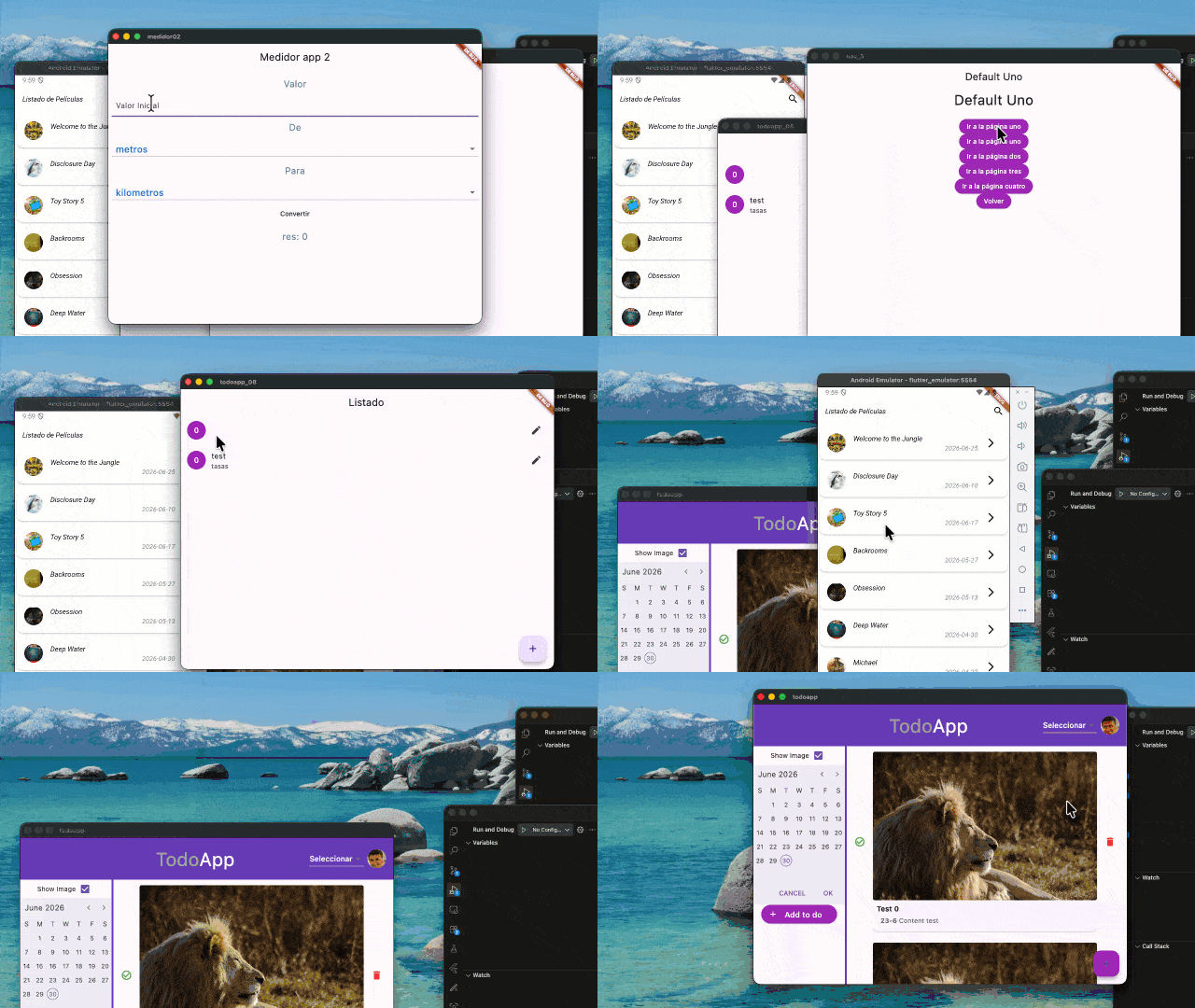
Explore the codebase we will use in the book. Total transparency on the technical level we will reach:
Practical Vision of the Author
“Through the years, having gone through various component libraries and hybrid frameworks, I discovered firsthand that Flutter offers the most pleasant and productive technical experience on today's market for a mobile frontend developer. I have condensed into this initial book all the architectural knowledge that I consider fundamental, avoiding dense theoretical manuals, so that you can truly absorb the structural beauty of the declarative environment and start programming your real projects as soon as possible.”