This guide offers an introduction to programming from scratch, designed for those taking their first steps in the world of software development. Throughout the following sections, we will address the basic concepts of programming —from what a program and an algorithm are, to variables, control structures, functions, arrays, and objects— with practical examples in JavaScript.
1. Basic programming concepts
The first thing I'm going to explain in these sections about foundational programming is what a program is. You can think of a program as a cooking recipe to prepare, for example, a cake: it goes from its ingredients, through the mixing process, to baking it. In a computer program, we have the exact same elements.
A program allows:
- Data input: Collects input data for processing. For example, through the keyboard or mouse.
- Processing: The program uses the input information to perform the operations it has been programmed to do.
- Output: The program returns the result obtained after processing the data.
In our specific case of web development, we could illustrate it with the following examples:
- (Data input) Our user accesses a given URL through the web browser.
- (Processing) The program processes the input source —in this case, the URL— to know exactly what our user wants to see.
- (Output) The program returns a page that is associated with the requested route.
Another example would be if we have a form:
- (Data input) Our user enters the data in the form.
- (Processing) The program processes the URL to know what request our user is sending and, through the route, determines which function it should call. That is, the form is associated with a function that describes the steps or processes necessary to work with the received data; for example:
- Create or update some resource, such as a post.
- Filter a list, and a long etcetera.
- (Output) Finally, the program returns the requested information through the browser.
A practical example of a function receiving a request from our user through a form would look like this:
@invoiceProductBp.route('/enlace')
def procesar_form():
     form = InvoiceForm()
     form.validate_on_submit()
     if form.errors:
        return render_template('errores.html')
     post = Post()
     post.title = request.form['title']
     post.description = request.form['description']
     db.save(post)
     return render_template('exito.html')
Breakdown of the previous code
In this snippet we see the process of how we can receive a request sent by our user from the browser. In the previous examples, this would be the function in charge of processing said request. The flow goes from obtaining a reference to the form sent by the user, through checking if the data is valid, to showing an error page in case they exist. In that case, the error page would be the program's output; the rest corresponds to the processing level.
Then, if there are no errors, the process continues: we simply create an entity —which can be anything: a contact, a product, or, in this case, a post— that we save in the database. Finally, as an output, we return an HTML document to the user.
Ultimately, what is a program?
A program is a set of code instructions, written in some programming language, that performs a particular task. In essence, it is the materialization of an algorithm in a language that the computer can interpret and execute.
Generally, programs usually have a graphical user interface or UI (for User Interface), where the user can interact with the program. However, there are also programs based on command lines (also known as CLI, Command Line Interface).
Programs today do not only run on a computer with Windows, macOS, or Linux; we have a wide range of technological devices capable of running programs: smartphones with Android or iOS, tablets, smartwatches, televisions, video game consoles... In general, every technological device that allows the user to interact digitally has a program or a set of programs for that purpose.
A common characteristic of programs is that, in order to run, they must be "loaded in memory". This term refers to the fact that the program must reside in RAM memory —the volatile memory of our equipment—. Any program currently running in the operating system (OS) is "in RAM memory"; when you turn off the equipment, that data is lost, unlike permanent storage on a hard drive or SSD.
What is an algorithm in computer science?
An algorithm in computer science is a sequence of operations defined to solve a problem, which we then translate into a program like the function I showed you earlier. It is important to highlight that these operations are executed in a sequential manner, that is, one after another, following a logical order.
Steps or parts of an algorithm
As we mentioned earlier, algorithms, just like programs, consist of three fundamental steps:
Input: To enter the data with which we are going to work.
Process: Where the logical operations are performed to solve the task, taking as input the data received in the previous step.
Output: Finally, the goal of every algorithm is to solve a problem and display the result. This phase presents the response once the execution of the algorithm is finished.
With algorithms, we have the steps to follow to solve a problem; and of course, they have a beginning and an end.
Detailed example of an algorithm
For example, to make a cake we have the same three steps: data input, processing, and output:
- Start (input elements: ingredients and steps to follow)
- Add milk into a saucepan
- Add salt
- Add flour
- Mix
- Serve
- Bake
- Output/End (Present the cake)
In the code example we saw earlier, as data input we would have the route or URL that our user used to reach the form and the data they entered into it.
As processing we have the reference to the form, the data validations, and the creation and registration of data in a structure —which in this case would be a post or blog entry—.
And as output we finally have the response: an HTML page that can be the error page (if we have issues with the supplied data) or the success page.
2. What is a programming language and what types exist?
To make a program like the one shown in the previous section, we need programming languages. Today there are multiple programming languages; new ones practically come out daily and we have everything depending on what we want to develop.
What is a programming language?
It can be a bit difficult to suddenly define what a programming language is, because it can take many different definitions and they are all true. So I offer you several key concepts so you can understand what it is and some of its features:
- A programming language is a set of symbols (syntax) and a particular order to guide programming.
- A programming language is a set of instructions (symbols and syntax) that allows a person or programmer to write commands so that the computer can "understand" and execute them; that is to say, a program.
- A programming language is a program that allows building other programs in a written manner, through instructions.
Every computing apparatus or technological device requires a programming language to fulfill the processes or tasks it has programmed.
Types of programming languages
Today there are multiple types of programming languages depending on the purpose and level of abstraction. Let's look at some examples by application area:
- If you want to develop desktop applications, we have C#, Python, and even JavaScript, to mention a few.
- If we want to develop web pages (that is, static content) or derivatives, we have JavaScript, HTML, and CSS as fundamental pillars.
- If we want to develop web applications —which you can view as a web page but with dynamic content, that is, changing content that we can manage in some way— for this we have PHP, Python, and even JavaScript, among others.
This isn't really the formal classification of language types, as the types go a bit beyond simply switching from one language to another. Below, let's look at the classification by abstraction level:
Machine language
This is the lowest level language, and it is the one that the machine directly understands. It is composed of pure zeros and ones, that is, binary code. Therefore, it is not a language that a person can program in a practical way, since it is extremely complex and prone to errors.
Assembly language
This is an intermediate language between machine language and high-level languages. Here we have mnemonic instructions (such as MOV, ADD, JMP) that represent blocks of commands to perform various operations at the hardware level. Although more readable than binary, it is still very close to the internal workings of the processor.
High-level language
Here are the most widely used programming languages today, such as JavaScript, Python, PHP, Java, Kotlin, Dart, among others. They are the languages that allow us to communicate with the machine in a more natural way; therefore, they are the ones we generally use when creating our programs.
They are languages that have a set of instructions and logic that are easier to understand, because their syntax is closer to human language.
All these languages need an interpreter or a compiler to translate the code into machine language, which is the only thing our computer can understand and execute.
3. Main elements of a programming language
We already know what a program is and its relationship with algorithms in computer science as a sequence of steps to solve a problem. We also looked at programming languages. Now we are going to see what the main elements are that we have to take into account when programming.
The first thing is syntax: the way in which we can write code in a programming language. Syntax defines the elements of said language and how they combine to form a program. The typical elements of any language are the following:
- Data types
- Variables
- Operators
- Control structures
- Comments
- Code blocks (functions, classes, etc.)
We will address all these elements little by little throughout this guide.
4. What is JavaScript? Reasons to take your first steps in programming
JavaScript allows us to add interactivity to our web pages and, in a nutshell, turn a static site into something dynamic; for example, adding connections with other applications we build in PHP, Python, or other services.
JavaScript is the programming language selected to start and take your first steps in programming and learn the fundamentals that apply to any programming language; we cover this in the following sections.
Reasons to take your first steps with JavaScript
Many recommend starting to program with JavaScript because it is quite flexible in syntax, you can immediately see the results of what you have done, and you don't need to install extra tools: just having a web browser is enough to take your first steps. We are going to use JavaScript to teach the most basic concepts, such as variables or functions, since in all my courses JavaScript is, in one way or another, a central and essential element for any web development.
JavaScript has the following advantages:
- It is a very simple and flexible language.
- It is fast and stable.
- It is supported in any modern web browser, so we can start programming right away without needing anything else.
- It is extremely cross-platform: you can run it regardless of whether you are on Windows, macOS, Linux, an iPhone, iPad, Android, and a long etcetera.
- It allows working in what is known as Full Stack, that is, both on the frontend (client side) and on the backend (server side); later we will see what this means in detail.
- Here is a reference link for you to learn in depth what JavaScript is used for.
If you want to program interactive elements for a web page, JavaScript is an essential.
5. What is a variable in programming?
Variables are one of the fundamental features of programming languages. They allow accessing memory to store and retrieve data (that is, we can read or save information) that our programs will work with. Think of a variable as a box with a label: the label is the name of the variable, and inside the box you store a value.
edad = 5;
nombre = "andres"
Variables must follow a specific scheme for their declaration, and this can vary depending on the programming language. Additionally, the value of a variable can change during program execution:
edad = edad + 1In summary, a variable is a software component that we can use to store and read data which can be of various types, like the ones we will see later.
Arithmetic operators
In JavaScript, as in most programming languages, we have arithmetic operators to perform mathematical operations such as addition, subtraction, multiplication, and division, and also to make comparisons. The main ones are:
+Addition: Operands can be integers or floats.-Subtraction: Operands can be integers or floats.*Multiplication: Operands can be integers or floats./Division: Operands can be integers or floats.%Modulo: Returns the remainder of the division between two operands.
Comparison operators in programming
Comparison operators are another fundamental element in any programming language. They allow us to compare variables and expressions to obtain a value of true or false, that is, a boolean:
<    Less than
>    Greater than
<=   Less than or equal to
>=   Greater than or equal to
!=   Not equal to
==   Equal to
Just as you saw in the previous example where we added one unit to the edad variable, the same applies to the rest of the mathematical operators.
6. Data types in programming
Data types are a mechanism with which we can represent and store different values using variables. Each data type defines what kind of information a variable can store and what operations we can perform with it.
In most programming languages we have the following data types (there may be a few more or less depending on the language of your choice):
Data types or primitives
- Numbers
- Integer types:
byte,short,int,long. - Float types:
floatanddouble. - Booleans: Can only have two values:
trueorfalse. - String: Text strings, such as
"Hello world".
Each primitive type has a different range of positive and negative values, except
boolean, which only accepts two values:trueandfalse.
Now then, which one to select? The data type you choose for a given program will depend on the range and type of values to be stored and whether they are integers, floats, text strings, etc.
In the following table you can see a representation of the size of the primitives above. For example, for an int we can represent values in a range from -2,147,483,648 to 2,147,483,647.
On the other hand, for short we can only represent up to 32,767 in its positive part (or -32,768 in the negative). Therefore, if you want to represent an ID card number in a country where millions of people live, you would have to use an int instead of a short. But if you want to represent the number of tomatoes a person has in their fridge, a short will most likely be enough.
7. Control structures in programming
Control structures are the mechanism we have in programming languages to break the sequential flow of the instructions we define in our program. We can use conditions like "If this is met, then do this" or "If this is not met, do that", or even create more complex conditions. To evaluate these conditions we rely on the operators we saw earlier, since basically what we evaluate are states of true or false.
There are also control structures in which we can establish rules like "Repeat this while a condition is met". That condition is simply a state that can be true or false; in other words, a boolean.
Control structure: if to execute conditionals
The if is the quintessential control structure. It allows us to make decisions based on a condition to evaluate. Its definition looks like this:
if(condicion) {
  ...
}
If the condition is met —that is, its value is true—, then everything we put inside the curly braces {} will be executed. It can be any instruction, even another nested condition. Let's see an example:
var bool = true;
n = 0;
if(bool) {
  n = n + 5;
}
n // Result: 5
But, what happens if bool is not true?
var bool = false;
n = 0;
if(bool) {
  n = n + 5;
}
n // Result: 0
Control structure: if-else
Now then, what happens if we want to define a flow whether the condition is correct or not? That is: "If this is met, do this; if it is not met, do that". For that we use the if-else structure:
n = 0;
if(bool) {
  n = n + 5;
} else {
  n = 2;
}
n

edad = 21;
mayorEdad = false;
if(edad >= 18) {
  mayorEdad = true;
} else {
  mayorEdad = false;
}
mayorEdad // Result: true
Control structure: nested if (else if)
We can chain the conditional structure to check for multiple conditions. We can create as many nestings as we need. To create a nested conditional, we use the else if structure:
estado = "";
edad = 12;
if(edad < 12) {
  estado = "Eres un niño";
} else if(edad < 18) {
  estado = "Eres un adolescente";
} else {
  estado = "Eres adulto";
}
We can also chain multiple else if statements to cover more cases:
estado = "";
edad = 65;
if(edad < 12) {
  estado = "Eres un niño";
} else if(edad < 18) {
  estado = "Eres un adolescente";
} else if(edad < 60) {
  estado = "Eres adulto";
} else {
  estado = "Tercera edad";
}
Logical operators and conditions in programming
Now, what if you want to evaluate more than one true or false condition in a conditional statement? For example, suppose you want to check if a person is of legal age and is male:
edad = 21;
mujer = false;
hombreAdulto = false;

// For now we have the following:
if(edad >= 18) {
  hombreAdulto = true;
} else {
  hombreAdulto = false;
}
But, how do we add the condition that he is also male? For that we use the logical AND operator. In JavaScript it is represented by && (twice the ampersand symbol):
if(edad >= 18 && mujer == false) {
  hombreAdulto = true;
} else {
  hombreAdulto = false;
}
hombreAdulto // Result: true
Here we are asking for age to be greater than or equal to 18 and for the person to be male. With the && operator, it is enough for one of the conditions to be false for the entire if block not to execute.
On the other hand, if we want a more flexible structure where it is enough for one or the other condition to be met, we use the logical OR operator, represented by || (double vertical bar):
if(edad >= 18 || mujer == false) {
  hombreOAdulto = true;
} else {
  hombreOAdulto = false;
}
hombreOAdulto
Complex conditions
You can perfectly combine as many logical operators as you need to build more complex conditions:
edad = 21;
mujer = false;
hombreOAdulto = false;
terceraEdad = false;

if(edad >= 18 || mujer == false && terceraEdad) {
  hombreOAdulto = true;
} else {
  hombreOAdulto = false;
}
hombreOAdulto
Note: When combining
&&and||, keep in mind that&&has higher precedence than||. Use parentheses()to group conditions and avoid ambiguities:if((edad >= 18 || mujer == false) && terceraEdad).
Control structure: switch
Without a doubt, the if is the most used control structure. However, when you have multiple conditions on the same value, a nested conditional becomes impractical due to poor code readability. For these cases there is the switch structure, which allows grouping a set of expressions in a more simplified way:
switch(dia) {
  case 1: diaSemana = "lunes"; break;
  case 2: diaSemana = "martes"; break;
  case 3: diaSemana = "miércoles"; break;
  case 4: diaSemana = "jueves"; break;
  case 5: diaSemana = "viernes"; break;
  case 6: diaSemana = "sábado"; break;
  case 7: diaSemana = "domingo"; break;
}
Instead of evaluating repeated conditions for the same value, we simply place each case with the value we want to compare. In this example we evaluate what day it is based on a numerical representation, but you could also evaluate texts, booleans, or more complex conditions.
The use of break is key: as its name indicates, it is a reserved word that we use to stop the execution of the rest of the switch block once a match is found. If you omit the break, execution will "fall through" to the next case, which can cause unexpected results.
8. Control structures: for to execute loops or iterations
Here we leave conditional blocks behind and enter another universe: loops. A loop is a control structure that allows us to repeat the same instruction or set of instructions a specified number of times. The structure of the for loop is as follows:
for(inicialización; condición; actualización) {
  instrucción 1
  instrucción 2
  ...
  instrucción N
}- Initialization phase: We define the initial value of a variable (commonly called
i) that tracks the current iteration. - Condition: Specifies the stop condition. When this returns
false, the loop stops. - Update phase: This is the updating of the counter variable's value in each iteration (for example,
i++).
for Example
The traditional example of a for loop looks like this:
n = 0;
for(var i = 0; i < 5; i++) {
  n = n + 1;
}
n // Result: 5
We can also use the shorthand ++ to add one unit:
n = 0;
for(var i = 0; i < 5; i++) {
  n++;
}
n // Result: 5
for loops are quite useful when we have collections to iterate over —later we will see what these collections are—. Abstract yourself a bit and suppose you have a set of elements (posts, products, etc.) that you want to display in some way. In web development, you could build a list like the following:
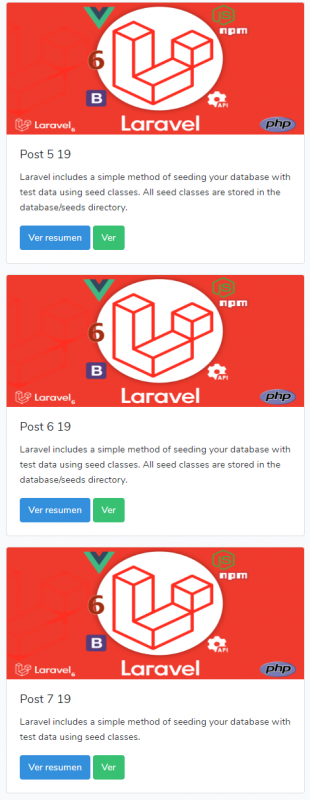
With for loops you can repeat the instructions that build each of those "boxes" for each element in the set.
Let's see another example; what happens if we add up the value of i?
n = 0;
for(var i = 0; i < 5; i++) {
  n = n + i;
}
n // Result: 10 (0+1+2+3+4)
Now let's do another example using console.log. At this point we haven't seen what a function is, but you can see it as a block with instructions that performs a particular operation. console.log is responsible for showing a message in the browser console:
for(var i = 0; i < 5; i++) {
   console.log(i);
}
// Output: 0, 1, 2, 3, 4
Control structure: while loop
The while structure is similar to for, but more flexible. We simply define the condition that indicates how long the loop will execute. If in the for loop we had three phases (initialization, condition, and update), in the while loop we only define the condition; the rest of the phases are handled manually. The while loop offers us a more flexible structure, although in web development —where we generally work with a finite set of elements— the for loop is usually more practical:
var n = 0;

while(n < 10) {
  console.log(n);
  n++;
}

// We can also increment by 2:
var n = 0;

while(n < 10) {
  console.log(n);
  n = n + 2;
}

// If n starts at 10, the while loop does not execute:
var n = 10;

while(n < 10) {
  console.log(n);
  n = n + 2;
}
// Prints nothing
Control structure: do while loop
The do while loop is basically the same as while, but with the condition evaluated at the end. With this, we guarantee that the instructions execute at least once, regardless of whether the condition is true or false from the beginning. Starting from the previous exercise:
var n = 10;
while(n < 10) {
  console.log(n);
  n = n + 2;
}
// Prints nothing because n is already 10
If we convert it to a do while:
var n = 10;
do {
  console.log(n);
  n = n + 2;
} while(n < 10);
// Prints 10 (executes at least once)
As you can see, the instruction executes at least once. If you need this behavior in your program, do while is your choice.
9. Use of functions in programming
Functions are one of the fundamental pillars in any programming language, and in JavaScript they are no exception. They allow executing a set of instructions to perform a task or calculate a value, and in short, they allow us to easily reuse a block of code.
To create a function we have to use the reserved word function, followed by the function name. To name it, you must take into consideration the same rules that apply when naming variables: do not start with numbers, do not use special characters or spaces, etc.:
function multiplica() {
  console.log(5 * 2);
}
Here we simply created a function named multiplica that multiplies two values. If for any reason we need to execute that multiplication in several parts of our program, it is enough to invoke the function. But notice that we have only declared it; for now it has not been executed. To execute it, we simply place the function name followed by parentheses:
multiplica() // Prints: 1010. Comments in programming languages and HTML
Comments are the mechanism we have to leave notes in our program. The character or set of characters we use varies depending on the programming language. Their main goal is to allow us to leave notes or explanations for other programmers (or for ourselves) about the purpose of what we are doing.
Comments are simply one or multiple lines of text that, when compiling or interpreting the code, the compiler or interpreter ignores. They are not part of the final executable nor do they affect the program's operation.
When the compiler encounters these comments (like //), it simply disregards them: they will not be part of the generated binary code.
Examples of comments
Multi-line comments
In most programming languages, we can define multi-line comments using /* */. In JavaScript, Kotlin, Java, among others, it works like this:
/*
This is a comment
On multiple lines
*/
In Python we can use the following scheme with triple quotes:
"""
This is a comment
On multiple lines
"""
Single-line comments
The simplest ones are created by placing two forward slashes (//) before the text:
// Single-line comment, we use it in JavaScript, C, Java...And in Python, the hash symbol # is used instead:
# comment in PythonComments in HTML
In HTML, being a markup language (and not a programming language), the syntax changes a bit. We can create comments in the following way:
<!--
HTML Comment
We can put as much content as we want
-->
11. Arrays in programming
Arrays are a fundamental data structure in any programming language. An array allows us to store multiple values in a single variable, organized sequentially. They are especially useful when we need to work with data collections: lists of products, usernames, scores, etc.
To create an array in JavaScript we do it like this:
var carros = ["Carro Corona", "Carro Fier", "Carro Safari", "Carro"];Array indexes
To access a particular element within the array, we use its index, which is a numeric value. Indexes in JavaScript (and in most languages) start at zero. For example:
carros[0] // "Carro Corona"With the index we can access all the elements of the array. To access the first one, we use index 0; the second, 1:
var carros = ["Carro Corona", "Carro Fier", "Carro Safari", "Carro"];
carros[1] // "Carro Fier"
And so on for the rest of the elements.
Extra: Two-dimensional array (matrices)
There are multiple types of arrays. Although matrices are not a structure that you will use frequently in most of your web projects, let's briefly see how they work.
If an array is simply a list of elements that goes in one direction, a two-dimensional array is an array of arrays: an array with two dimensions, similar to a spreadsheet. In addition, we can define multiple dimensions, although in web development we rarely need more than two.
Size of arrays
As with single-dimension arrays, we can define whatever size we want. For example, a 5×5 two-dimensional array:
matriz = [5][5]
* * * * *
* * * * *
* * * * *
* * * * *
* * * * *
And a one-dimensional array of size 5:
matriz = [5]
* * * * *
Two-dimensional arrays in JavaScript – Matrices
In JavaScript, we can create two-dimensional arrays as follows:
var matriz = [1, 1, 2, 3, 5, [1, 2, 3]];In this case, we are creating an array where one of its elements is another array. To access the first element:
matriz[0] // 1To access the nested array:
matriz[5] // [1, 2, 3]And to access a specific element within the nested array, we specify the second index:
matriz[5][2] // 312. Objects in programming languages
In the real world, a car is an object, a table is an object; and in JavaScript we have ways to represent these types of structures. Objects in JavaScript are a simplified approach to the classes supported by other programming languages like PHP or Python.
If we analyze a real-world object —like a car—, we will see that it has characteristics (or properties) that allow us to describe it and differentiate it from others: brand, model, weight, color, etc. In JavaScript we can simulate this behavior using objects.
To create an object in JavaScript we do it as follows:
var carro = {marca: "Fiat", modelo: 5000, color: "Blanco"};As you can see, it is a simple structure: it seems like we have a variable containing sub-variables. However, notice that the internal assignment changes: we no longer use the = sign, but the colon :, because now we are working with properties (also called attributes) of an object.
To access, for example, the brand of the car:
carro.marca // "Fiat"We simply access the object named carro followed by a dot and the attribute name. Depending on the data type of these attributes, we can perform the same operations as with variables: add, subtract, concatenate, etc.
We can also access each of its attributes to update a value:
carro.marca = "Toyota";